
Human Capital & Customer Management
0+ Courses
The Grandlinks ITSM Platform Administration and Operations course provides participants with a comprehensive understanding of how to manage IT services, infrastructure, assets, users, security, and operational performance through a centralized IT Service Management platform.
The course is designed for IT managers, system administrators, help desk teams, technical support specialists, asset managers, and other professionals responsible for maintaining reliable IT operations and delivering efficient support services. It combines service management, infrastructure visibility, remote technical support, monitoring, governance, and reporting within one integrated learning programme.
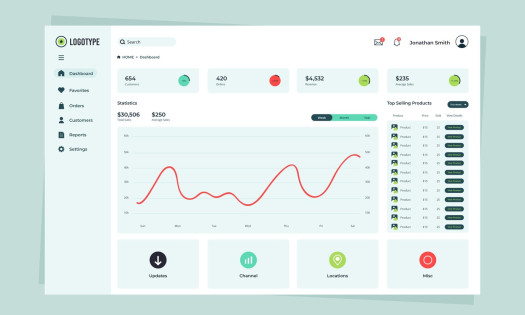
Participants will begin by exploring the Grandlinks ITSM dashboard and learning how to interpret system health indicators, security audit results, ticket statistics, technician workload, asset status, application stability, and historical performance trends. These dashboards provide managers and technical teams with a clear overview of the IT environment and help them identify operational risks, service issues, and areas requiring immediate attention.
The asset management section explains how to manage computers, monitors, printers, software, network devices, mobile devices, and other tracked equipment. Participants will learn how to search, filter, review, update, and organize technical assets according to department, location, building, room, ownership, status, inventory number, and purchase information. The course also covers computer details, software inventory, event logs, IT documentation, asset changes, network scanning, open-port review, and the relationship between assets and support tickets.
A major part of the course focuses on Help Desk operations and the complete ticket lifecycle. Participants will learn how to create, assign, prioritize, monitor, update, resolve, and close support tickets. They will understand how ticket information such as category, urgency, priority, department, location, requester, assigned technician, and related asset is used to organize and control support activities. The course also introduces predefined catalogue tickets, automated assignment rules, ticket activity history, communication records, ownership tracking, and AI-assisted natural-language ticket search.
The technician scheduling module teaches participants how to plan and organize technical work using daily and weekly calendars. Service tasks can be assigned to technicians, linked to existing tickets, prioritized, scheduled into specific time slots, and monitored according to their status and estimated completion time. Participants will also learn how to manage unassigned tasks, unresolved tasks, standalone technical activities, paused work, resumed work, and technician workload distribution.
Remote operations are covered through the Hyper Commands features. Participants will learn how authorized technical teams can remotely install software, open browser-based SSH terminal sessions, connect to computers through VNC or noVNC, review active sessions, monitor connection history, and safely disconnect remote access sessions. This section demonstrates how remote support tools can reduce response time and allow technicians to assist users and maintain devices without requiring an on-site visit.
The monitoring module introduces infrastructure supervision, host availability, alerts, active problems, severity levels, templates, host groups, maps, performance information, and operational network visibility. Participants will learn how monitored devices are organized, how new hosts are added, how problems are filtered and reviewed, and how alerts support proactive incident detection and infrastructure management.
The course also covers mobile device management, including mobile inventory, live location tracking, location history, route playback, stop detection, geofencing, battery and Wi-Fi information, installed applications, and movement analysis. Participants will understand how devices can be assigned to geographical boundaries and how recent alerts can be reviewed when a device enters or leaves a defined area.
Service Level Agreement management is presented as an essential tool for measuring support quality and accountability. Participants will learn how to create and manage SLA policies, define service targets, assign rules to tickets, monitor compliance, identify breach risks, configure escalation behaviour, and analyse met or breached service commitments. SLA dashboards, daily compliance charts, aging information, and policy performance indicators help management evaluate the effectiveness of IT support operations.
The governance section explains how to manage software licences, vendor contracts, and digital certificates. Participants will learn how to track ownership, costs, quantities, validity periods, renewal dates, expiration risks, vendors, departments, and responsible employees. This enables organizations to reduce compliance risks, avoid unexpected expirations, control software usage, and maintain accurate contractual and licensing records.
User management and access control are also key components of the course. Participants will learn how to create and maintain user accounts, assign roles, configure permissions, manage departments, groups, office locations, computer aliases, and login audits. The course explains how module permissions are applied and how multi-role permission resolution helps prevent unauthorized privilege escalation. It also covers user blocking, account status, workstation mapping, and ticket reassignment when responsibilities change.
The system configuration section introduces important integrations and platform settings, including LDAP, SMTP, IMAP, SNMP, and Zabbix. Participants will also learn how to manage notification preferences, language and locale settings, table display modes, map styles, barcode formats, and ticket assignment rules based on department or location.
Finally, the course explains the platform’s authentication and security mechanisms. Topics include username and password authentication, two-factor verification, reCAPTCHA validation, licence checks, failed-login protection, account blocking, secure password recovery, one-time reset tokens, LDAP account handling, and automatic redirection to the first permitted system module after login.
By the end of this course, participants will be able to use Grandlinks ITSM to manage support requests, organize technical teams, control IT assets, monitor infrastructure, perform remote support, enforce service-level commitments, manage licences and contracts, administer users and permissions, and generate meaningful operational information. The course provides the practical knowledge required to improve IT service quality, strengthen infrastructure visibility, reduce response times, enhance governance, and support more informed technical and management decisions.

 More Similar Courses